How to Use ChatGPT in B2B Sales and Lead Generation
ChatGPT is known for how well it handles language, and a lot of B2B selling is language: cold emails, LinkedIn messages, call scripts, proposals. That's why it can change so much about your sales process and your predictive analytics, inbound or outbound. This guide goes through where it helps in data-driven B2B sales and lead generation, stage by stage.
What is ChatGPT?
ChatGPT is a specialized language model from OpenAI, built on GPT-3.5 and trained on large datasets of code and internet text. Machine learning taught it which words usually come after which. You can use it for lead generation, lead qualification, customer service, product copy and content creation.
It won't stand in for your sales reps. Relationship-building and strategic thinking stay with people, and many companies will still need a human in the sales process to build trust and relationships with their customers.
What is ChatGPT-4?
ChatGPT-4 is OpenAI's newest model at the time of writing, with stronger language skills than the ChatGPT that came before it. OpenAI says its answers are safer and more useful than those of earlier models.
You get it by upgrading to ChatGPT Plus for $20/month, which also lets you fine-tune datasets for tailored results. Using ChatGPT-4 is identical to using Plus with GPT-3.5, except it can do more, and you can toggle between ChatGPT-4 and the older versions of the model.
How to start using ChatGPT?
Register for free on the ChatGPT website, https://chatgpt.com/. You'll have to give a phone number to verify your account, and the code arrives by SMS as an OTP (one-time password).
How to use ChatGPT in B2B sales or marketing?
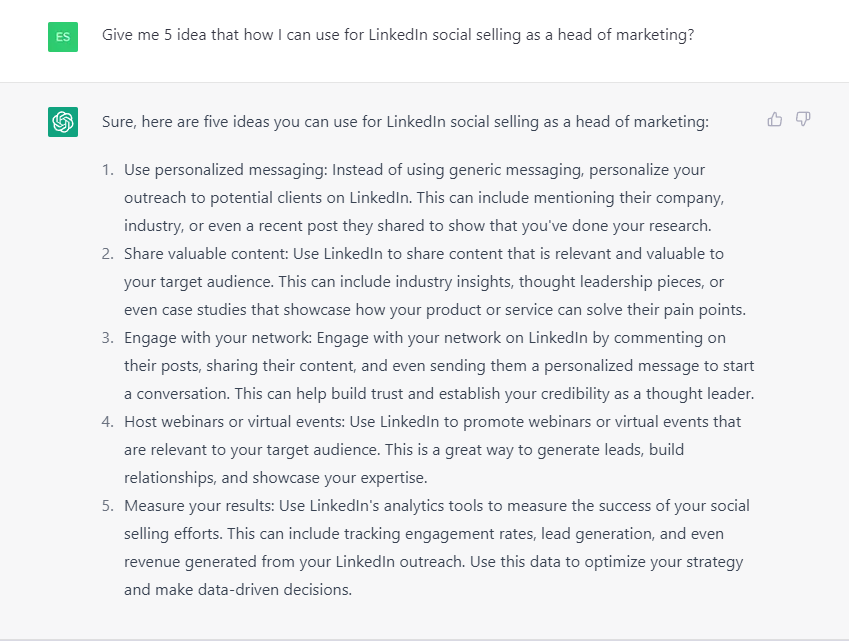
Outbound lead generation is the place to start. In B2B sales and marketing automation, ChatGPT covers several jobs at the awareness stage alone: social selling and personal branding, database cleaning and list management, and cold email.
On the branding side it can help lift conversions. For cold email it writes personalized templates, unique subject lines and follow-ups (that's natural language processing at work).
For LinkedIn outreach, it can write engaging messages to potential leads, suggest personalized hashtags, mentions and calls to action, and put together market research on your target audience.
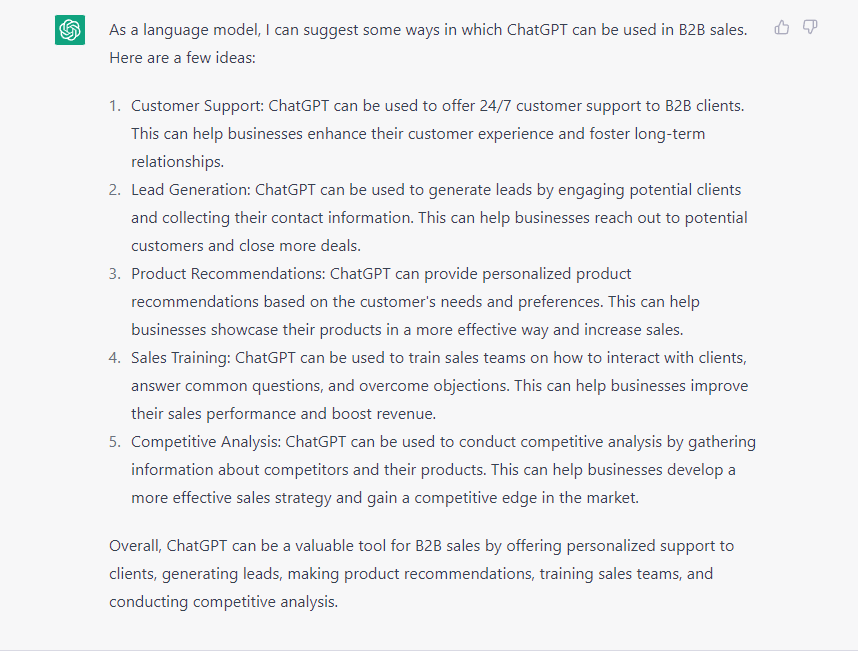
For inbound lead generation, it has a use at every stage of the sales funnel. Across the board, it can:
- Write outbound templates or copy for lead generation.
- Qualify leads by asking specific questions and judging how likely each one is to become a customer.
- Answer basic customer questions or emails.
- Give step-by-step written instructions for using your product.
- Write help center text, among other things.
How good the output is depends on your prompts. Human creativity and insight are still on you, but it saves time and gives your sales and marketing a solid foundation.
SEO is a good example. ChatGPT may not know the exact monthly search volume for specific B2B lead generation tools, yet it's still a good place to start your keyword research.
The rest of this guide follows the five stages of the funnel:
- Awareness: get people interested in your product or service.
- Interest: find and evaluate the leads most likely to become customers.
- Decision: persuade potential customers to buy.
- Action: close the sale and get the customer to act.
- Retention: keep the relationship healthy and the customer satisfied.
Both outbound and inbound lead generation get something out of ChatGPT. Outbound first.
Using ChatGPT in Outbound Lead Generation
In outbound, you make the first move. Here's where ChatGPT helps at each stage.
Awareness stage
ChatGPT earns its keep early in outbound, at the awareness stage, which is mostly social selling and personal branding. You find good prospects through your brand and your network, and the relationships you build there are what get you to your sales targets.
This stage matters because it's where your network grows and your contacts come to trust you. It's also where you warm up people who may want to do business with you later. Ask ChatGPT for personal branding strategies and for the kind of content to make, and it will even write that content with conversational AI.
Cold emailing is the other place it pays off in outbound. ChatGPT writes personalized cold email templates, different subject lines and follow-up templates, and it suggests placeholders for personalization. It can't go through someone's LinkedIn profile and write unique text from what's there, though.
Add the specifics to your prompt: the person's full name, title, company name and a formatted date. Include a 1-2 sentence case study about a similar client you helped, and have the email end with a CTA to book a 10-minute phone call.
Then shape it further. Tell ChatGPT not to congratulate the prospect, not to say you'd love to meet them, to skip jargon and buzzwords, and to keep the tone informal.
The method isn't perfect, but it's impressive: you get the email back in seconds, and it works at scale. For the intro, you can also work from these email opening examples. The AI keeps improving, so this will only get more effective, and if you play with the prompts you'll probably find ways to lift your response rate.
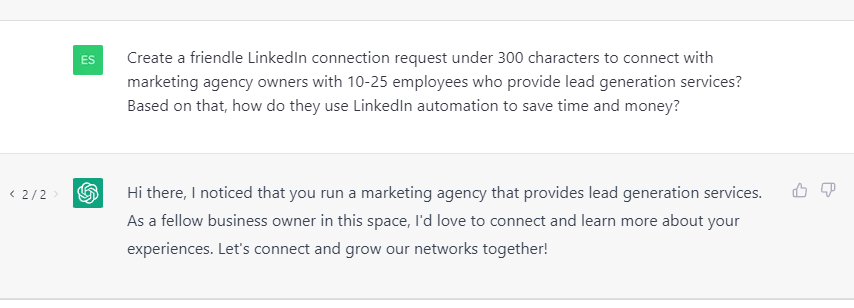
On LinkedIn, ChatGPT is good at writing personalized, engaging messages to potential leads. It can also come up with personalized hashtags, mentions and calls to action that make your messages more likely to be seen and read, and it can do market research on your target audience.
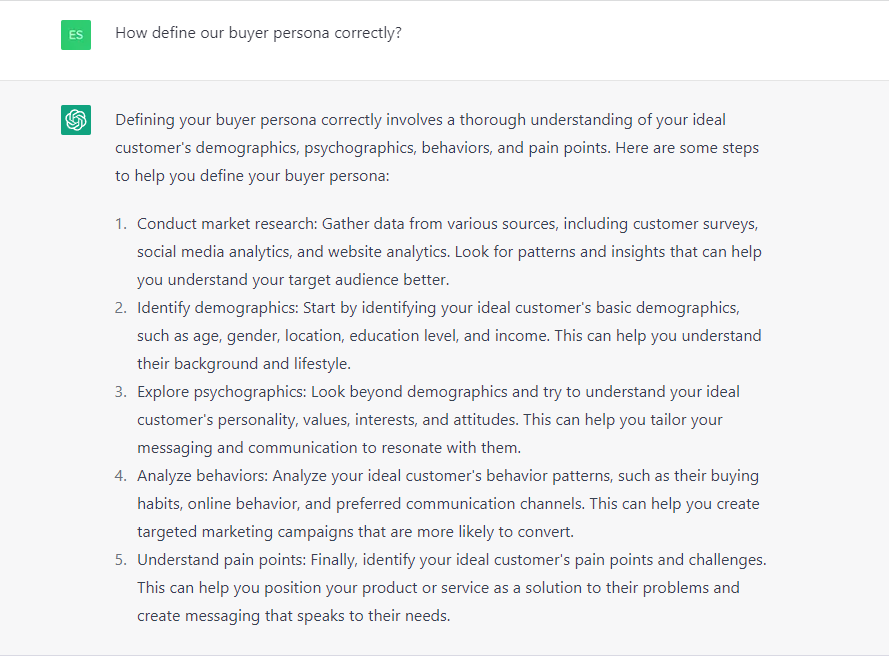
None of it works well unless your buyer persona is defined properly. The better ChatGPT knows who you're writing to, the more relevant and targeted its messages get.
Try a few different connection templates and see which ones work best with your target audience.
You can't use ChatGPT for cold calling directly. It can still write personalized phone scripts for each prospect: opening lines, likely objections and how to handle them, and closing statements built on your pitch. It can also draft answers to the questions prospects might ask, which helps you get past their objections.
One of the most useful things you can do is add qualifiers to a prompt. Say you need a call script for a marketing agency. Have ChatGPT write one that asks for permission to make the pitch without sounding too sales-y, stays casual and friendly, handles likely objections, and doesn't make the pitch all about you.
Interest stage
At the interest stage you qualify leads, and ChatGPT can script the automated conversations that do it, in a chatbot or a virtual assistant. Those conversations collect what you need to know about each prospect's needs and pain points. You can also ask ChatGPT for lead qualification questions, or for information about your target market.
For example, tell ChatGPT to imagine you're qualifying leads by how relevant they are to your solution. Then ask which questions would uncover a prospect's needs, and what else you'd need to know to decide whether they're a relevant lead.
Decision stage
The decision stage is about persuading potential customers to buy. Use ChatGPT for sales proposals that address specific needs and pain points, for engagement content built on your case studies, blog posts or webinars, and for explaining your products and services to the people weighing them.
The thing to know here is that you can "feed" ChatGPT information up front, regardless of its length. Paste your case study into the conversation, tell ChatGPT to remember it, and the output that follows will be personalized to it.
From there, ask for a sales proposal for your solution that helps a marketing agency owner make a decision, based on the case study and your customer behavior analysis.
Action stage
The action stage is the close: the sale gets finalized and the customer acts. Have ChatGPT write the persuasive scripts, emails and messages that negotiate the details and close. It can draft custom contract and proposal templates too, and it speeds the process up by giving you several ways to answer a sales objection.
As with the prompts above, add qualifiers or specifics, such as your company name and your exact services, so the answers fit your business.
Generating these can take a few minutes. For an AI working from scratch, the results are impressive.
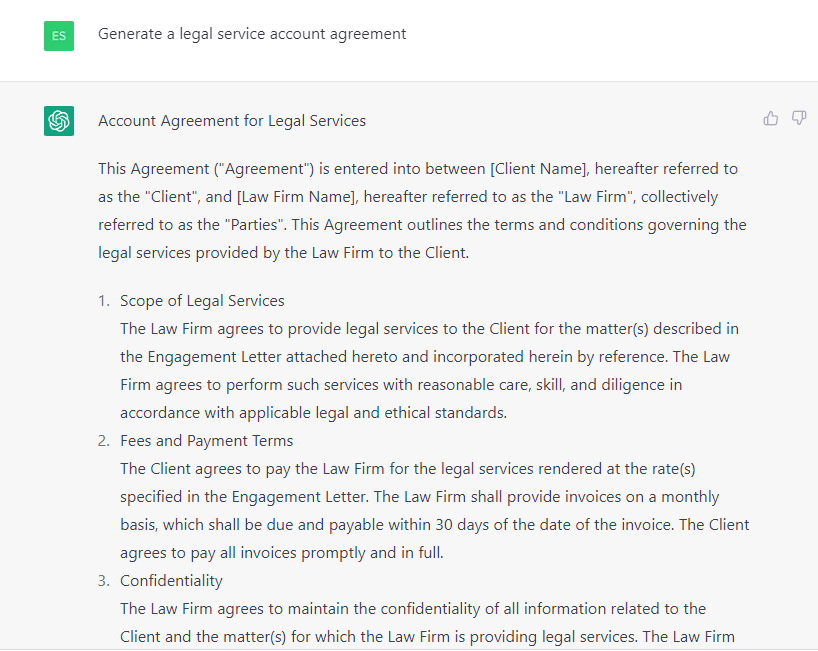
ChatGPT will write legal documents or Terms of Service, but always check what it gives you before you use it. Review the documents yourself or with a legal professional to make sure they're accurate and complete.
Retention stage
After the sale, use it for personalized follow-up emails, questionnaires and survey newsletters, feedback requests and feedback forms, or any other way of gathering customer feedback that helps your future sales efforts.
With the right prompt it can also pull together information about your solution, your target audience, the areas you could improve, and more.
Your prompts decide how much you get out of ChatGPT for sales and lead generation, and the tips further down show how to write good ones. First, though, inbound lead generation.
Using ChatGPT in Inbound Lead Generation
In inbound, the prospect finds you. Here's what ChatGPT does at each stage.
Awareness
Building interest in and awareness of your brand is one of the most common things people use ChatGPT for. It writes LinkedIn content, ad copy and the copy on your landing pages: headlines, subheadings, calls to action and more. It can also create lead magnets, web forms, quizzes, assessments, eBooks and other web content.
When you ask it for online content, set boundaries and give it a role. You'll get better answers that way.
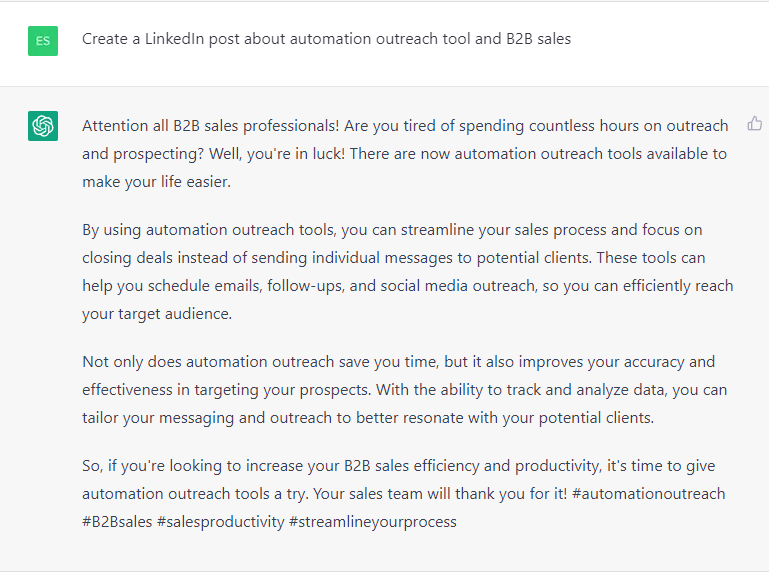
Say you want a LinkedIn post that builds interest in your brand. Give ChatGPT the details: the target audience, the tone of the post, the outcome you want, and any hashtags or mentions to include.
Interest
To gather interest and qualify prospects, use ChatGPT to set up chatbot flows and conversation topics, or to collect information about your target audience that your customer support team can then use.
You can also have it play a role, say a SaaS business owner, and come up with the questions a potential customer might ask on a first visit to your website. That helps you gauge interest and qualify leads.
Turn what it comes up with into a dedicated FAQ section, or make sure your team knows the answers before those customer inquiries arrive.
Decision
ChatGPT can help leads make better-informed decisions in a lot of ways. A common one is website copy. It can also create surveys, find out more about your target market, write chatbot scripts, suggest content ideas, and produce the content itself: case studies, comparison pages, service pages and more.
It's unlikely to replace your marketing team any time soon. It can still take some tasks off their hands and come up with useful content ideas.
It can write blog posts or lead magnets such as eBooks from scratch, too. That takes longer, and you'll need detailed prompts before the result meets your requirements.
Action
To turn inbound leads into customers, ChatGPT can write the copy, landing pages, product descriptions and more. Think about your whole inbound marketing funnel first, though. The point of inbound lead generation is to bring prospects to your site and let them convert on their own.
For prospects to make an informed decision about your product or service, your funnel should include:
- Blog posts and social media that attract readers.
- Educational lead magnets built on your leads' pain points and needs.
- Relevant landing page copy and calls to action that turn leads into users.
- Live demos, free trials, case studies and more.
ChatGPT only generates text, so it won't help with every part of that funnel. It can still improve your landing pages, copywriting and content.
Retention
For an email marketing strategy that keeps customers, ChatGPT can generate a range of emails from your prompts. Here's an example prompt:
"Generate 5 different email topics that can be used for a SaaS solution to increase customer retention. Each email should be focused on a different aspect of the product or service and include a clear call-to-action."
Once you have the topics, have ChatGPT write the emails themselves. For example:
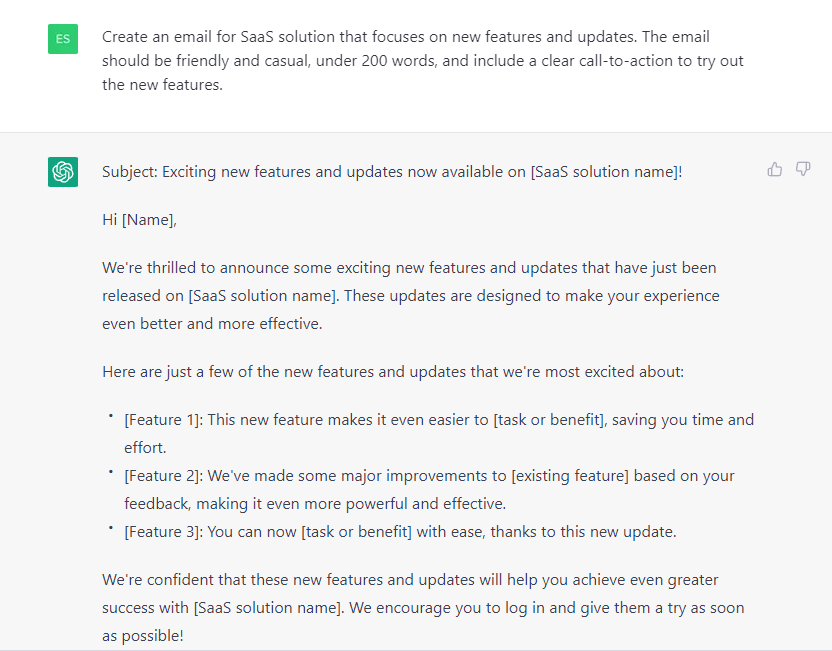
Give it specific prompts and conditions and the emails come out personal and effective for your audience. That holds for the whole inbound funnel, from awareness to retention.
8 Tips for Creating Effective ChatGPT Prompts
Eight habits that get you better answers:
- Be clear and specific: Say exactly what the task or question is. The more specific the prompt, the more accurate the answer. Compare "Create a cold outreach email that generates leads" with "Create a cold outreach email under 200 words with a friendly, casual tone that targets SaaS tool owners, to book a quick, 5-minute call. Include pain points sales teams might have."
- Provide context: Give ChatGPT the background it needs to understand the task: what you or your company does, who your target audience is, how long the answer should be, and so on.
- Use the right language and terminology: Put your industry's terms or jargon in the prompt when the task needs them.
- Be concise: Keep prompts short and to the point.
- Include necessary constraints: If the answer has to follow specific constraints or guidelines, put them in the prompt.
- Provide examples: Show it samples of the language or text you're after.
- Include roles: Have ChatGPT act as a member of your target audience to bring up the objections and questions that might come up on sales calls.
- Test and adjust: Keep testing your prompts and adjusting them until ChatGPT does better.
Remember that ChatGPT is a machine learning model, so its output is only as good as the data it was trained on. It's being developed and updated all the time, so expect changes and new features, and it may be monetized further at some point.
Conclusion
ChatGPT can do a lot for lead generation, but it has limits:
- It can't reach the internet or any outside information. It answers only from its training.
- It won't give information on illegal topics or anything its terms of service prohibit.
- It doesn't always have the latest information.
- It only takes text as input, nothing else.
Within those limits, it's a very useful tool for lead generation: content, templates, replies, emails and more.
Last updated: August 2025